
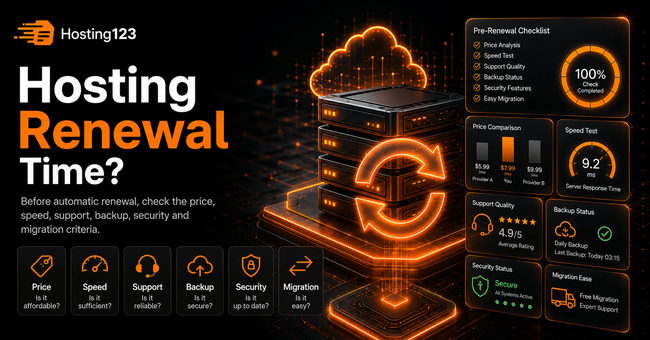
Hosting renewal should not be handled with automatic payment alone. Before renewing, check your website speed, support quality, backup policy, security features, renewal price, and resource limits. Hosting123 recommends that business website owners evaluate renewal decisions based on both cost and performance.
Quick Answer: What Should You Check Before Renewing Hosting?
Before renewing your hosting plan, review your website’s performance over the last few months. Also check your support experience, backup status, and resource limits.
In addition, compare the renewal price carefully. A package that looked affordable in the first year may become more expensive during renewal.
In short, hosting renewal is not just a simple automatic payment process.
What Is Hosting Renewal?
Hosting renewal means extending the active period of your current hosting service.
Many users leave this process to automatic renewal. However, this approach does not always lead to the best decision.
Your website may have grown. Your traffic may have increased. Support quality may no longer meet your expectations. Also, your current package may no longer match your needs.
For this reason, treat the renewal date as a useful checkpoint.
Why Should You Check Before Automatic Renewal?
Automatic renewal looks convenient. However, paying without checking may keep you tied to a weak package for another year.
For example, if your website has slowed down in recent months, renewing the same package may not be the right choice. Instead, you may need a stronger hosting plan or a different infrastructure.
Also, if you are not satisfied with support quality, review alternatives before renewal. This way, you avoid paying again for a service that no longer fits your needs.
Hosting Renewal Decision Table
Use the table below before making your renewal decision.
| Checkpoint | What it shows | What should you do? |
|---|---|---|
| Page speed | Shows user experience | Consider upgrading if the site is slow |
| Support quality | Shows service quality during problems | Review alternatives if support is slow |
| Backups | Shows data protection level | Do not take risks if the policy is unclear |
| Security | Shows site protection level | Check SSL and malware protection |
| Resource limits | Shows growth capacity | Plan an upgrade if limits are nearly full |
| Renewal price | Shows real cost | Compare it with the first-year price |
| Migration support | Shows transition convenience | Review free migration options |
This table helps you make a clearer decision. As a result, you do not act only based on the payment date.
1. Compare the Renewal Price with the First-Year Price
Hosting packages sometimes offer attractive prices for the first year. During renewal, however, the price may increase.
Therefore, compare your first-year price with the new renewal amount before paying.
Check these cost items:
- Hosting renewal fee
- Domain renewal fee
- SSL cost
- Backup cost
- Email account cost
- Website migration fee
- Package upgrade difference
As a result, calculate the total annual cost, not just the monthly price.
2. Has Your Website Speed Dropped in the Last 3 Months?
Run a speed test before renewal. Website speed directly affects user experience.
Test your homepage, your most visited service page, and your product page if you have one. Also check mobile performance separately.
Pay attention to these signs:
- Pages respond slowly.
- Mobile users wait longer.
- The WordPress dashboard feels heavy.
- The WooCommerce checkout step slows down.
- The website struggles when traffic increases.
If you see these signs, do not renew automatically. First, compare stronger options.
3. Evaluate Your Support Experience Honestly
In hosting, support becomes as important as price. When a problem occurs, you expect a fast response.
Think about your support experience over the last year. Did the team respond quickly? Did they actually solve the issues? Did technical support guide you correctly?
Also check the available support channels. Are ticket, phone, WhatsApp, or live chat options enough for your business?
If support has kept you waiting repeatedly, review alternative providers before renewal.
4. Clarify the Backup Policy
Backups play a critical role in hosting renewal decisions. Data loss can create serious problems for website owners.
Ask your provider these questions:
| Question | Why should you ask? |
|---|---|
| How often do you take backups? | You need recent restore points |
| How many days do you keep backups? | You may need to restore an older version |
| Is restore service paid? | It shows possible extra costs |
| Are email backups included? | It protects business communication |
| Can I take backups from the panel? | It gives you more control |
Still, be careful if you cannot get clear answers. The phrase “we have backups” does not provide enough confidence on its own.
5. Check Resource Limits
Your website may have grown compared to last year. In that case, your old package may now feel limited.
Check CPU, RAM, disk space, inode, and traffic limits. Also review resource usage reports from recent months.
WordPress, WooCommerce, and plugin-heavy websites usually consume more resources.
Therefore, if you are getting close to the limits, consider upgrading instead of renewing the same package.
6. Review Security Features
Before renewing your hosting plan, review security features carefully. Weak security puts your website reputation at risk.
Check these areas:
- Is SSL active?
- Is malware scanning available?
- Does the provider offer DDoS protection?
- Are PHP versions up to date?
- Is the firewall active?
- Are password and panel security strong enough?
- Are backups taken regularly?
In addition, keep your WordPress themes and plugins up to date. This way, hosting security and website management work together.
7. Do Not Forget Email and Business Communication
For business websites, hosting does not only mean the website itself. Email accounts are also part of the process.
If you use addresses such as [email protected], [email protected], or [email protected], check the email side separately.
Pay special attention to quota, spam filters, webmail access, and mobile setup.
If you manage a business website, you can review Hosting123’s business hosting solutions.
8. Review Migration Before Renewing
If you are not satisfied with your current provider, use the renewal date as an opportunity.
First, list your files, database, email accounts, and DNS records. Then check whether the new provider offers migration support.
This way, you can see your chance to move to a better infrastructure before paying the renewal fee.
If you want to migrate your existing website, you can plan a more controlled transition with Hosting123’s free website migration service.
10 Questions to Ask Before Hosting Renewal
Answer these questions before automatic payment starts:
- Is the renewal price much higher than the first-year price?
- Has my website slowed down in the last 3 months?
- Did the support team solve problems quickly?
- Is the backup policy clear?
- Is the restore process paid?
- Are CPU and RAM limits enough?
- Are disk and inode usage levels safe?
- Are SSL and security features active?
- Do email accounts work smoothly?
- Would upgrading to a better package make more sense?
Use this list as a short decision test. Also note every question where your answer is “no”.
When Does Upgrading Make More Sense Than Renewal?
In some cases, you do not need to change providers. If your current service works well, upgrading to a higher package may solve the problem.
For example, if your website has grown, traffic has increased, or your WooCommerce store has started receiving more orders, upgrading may become a better choice.
However, if support quality is weak, review other options as well. A stronger package does not solve poor support on its own.
If you run a WordPress-based website, you can review Hosting123’s WordPress Hosting packages.
How Should You Make the Final Decision?
Automatic payment may seem easy when hosting renewal time arrives. However, a short review can make a big difference.
First, check the price, speed, and support experience. Then compare backup quality, security, and resource limits.
If your current package still works well, renewal may make sense. On the other hand, if you have speed, support, or security issues, review other options.
In conclusion, hosting renewal is not just a service extension. It is an important decision that shapes your website’s performance for the next year.
Frequently Asked Questions
What should I check when hosting renewal time arrives?
Check the renewal price, website speed, support quality, backup policy, security features, and resource limits.
Is automatic hosting renewal a good idea?
Automatic renewal can be convenient. However, checking the price, speed, support, and backup status before payment helps you make a better decision.
Does it make sense to migrate instead of renewing hosting?
Migration may make sense if you are not satisfied with your current provider. Review alternatives, especially if support is weak, your site is slow, or the renewal price has increased.
Should I take a backup before renewing hosting?
Yes. Take a current backup before renewal, migration, or package changes. Check your files, database, and email accounts before making any changes.